
Pricing
IT Services
Pricing shown here is per seat (a seat includes a one user and one workstation). Most businesses have different numbers of users and hardware.
We only bill for what you have - get a custom quote today for an accurate estimate, including discounts for larger organizations.

Did you know: If an employee spends just 10 minutes per workday waiting on
their slow computer, that adds up to 40 wasted labor hours per year?
Co-Managed IT
As low as
$85/seat
For businesses with on-staff IT.
Endpoint Management Platform (Remote Management, Patching, Updates, Monitoring)
Cloud Backup Service
Next-Gen Antivirus w/ EDR
Managed Detection & Response
24x365 Security Monitoring
Office 365 Business Premium (Business Standard Also Available)
Office 365 Tenant Management
Disaster Recovery Planning
On-Demand Security Awareness eLearning
Secure Network Management
MFA Implementation
On-Demand IT Support Available (billed hourly)
Full-Service IT
As low as
$115/seat
For businesses requiring full IT services.
Everything in Co-Managed IT, plus:
Remote & On-Site Support Included*
Technology Consulting
New Hardware Deployment
Technology Budgeting & Strategy
Live Security Awareness Training
*Subject to fair usage limits.
VoIP Add-On
As low as
$20/seat
VoIP Phone Service w/ Optional Hardware
Unlimited Domestic Calling
Direct-Dial Numbers
Customizable Auto-Attendant Menus
Flexible Call Routing Options
Call Parking, Transfer, Hold, etc.
Desktop & Mobile Apps Included
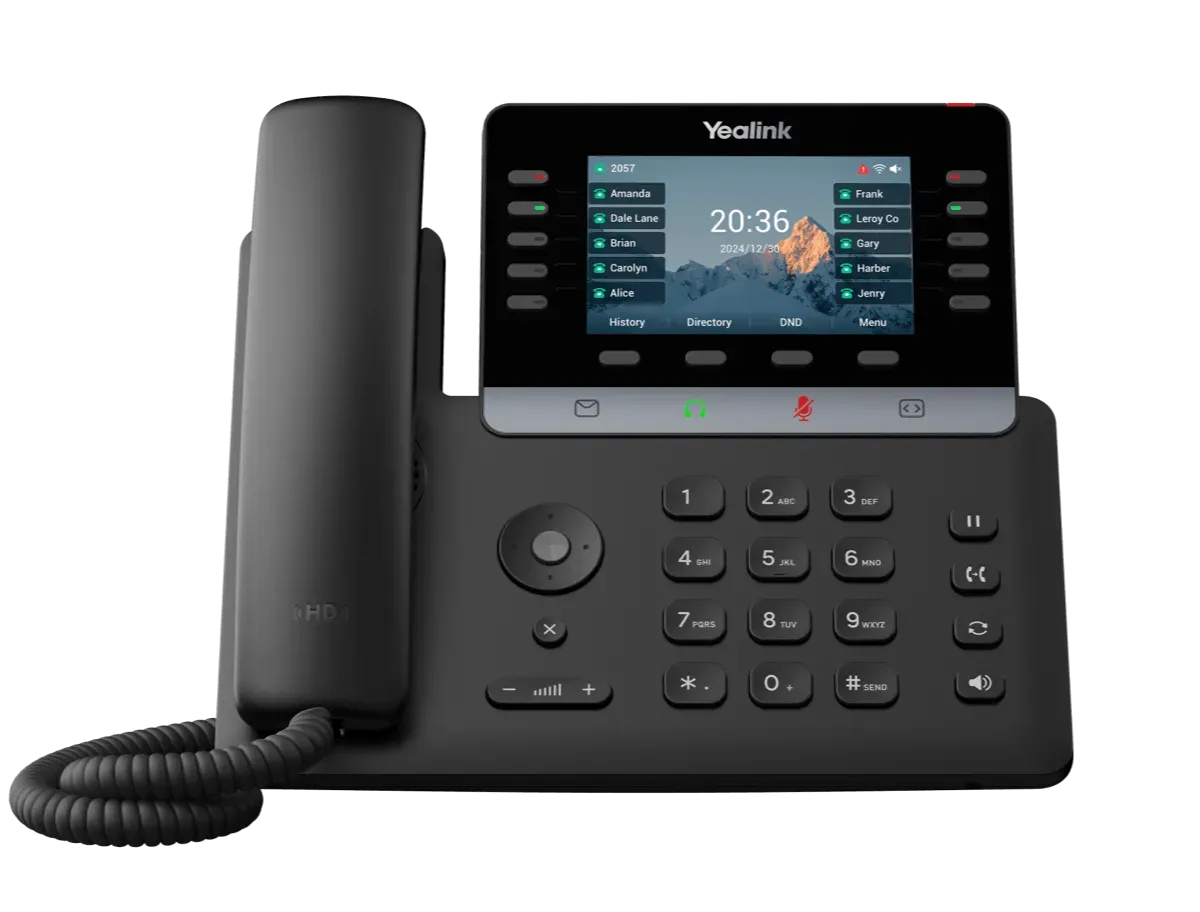
Desk Phone Hardware Available
Web Fax Available
Need More Info?
Download our service and pricing guide.
Get the information you need to decide if we might be the right fit for your business.
Information & Pricing
Managed & Co-Managed IT
Voice for Business (VoIP)

Frequently Asked Questions
What does the onboarding process look like?
1. Assess. First, we get to know how your business functions. We only want to make recommendations that are helpful and every business is different. Getting to know how you use technology and where it's getting in the way is the first step.
2. Deploy. Then we begin deploying secure management, backup, and security tools to your environment while carefully monitoring for any problems.
3. Support. This is the best part: we proactively maintain your technology to prevent problems, monitor to detect and resolve issues before they cause an employee downtime, and rapidly respond to any issues or requests you and your team have.
4. Plan Ahead. We provide guidance and options for how to get the best ROI out of your technology, plan for your future, and keep your technology budget predictable.
What if I add or remove users?
No sweat. You can add or remove users at any time and your bill will adjust accordingly. We only bill for what you use. If you sign up for 20 users, but we only onboard 17, then you're only billed for 17. If you remove a user, your bill goes down, too.
What if we already pay for Office 365?
If you're already paying for Office365 or Google Workspace, we'll take those costs out of our plan when we give you a quote. Connect with us today to get an accurate, custom quote for your business.
What security comes with the service?
Everything a business needs to mitigate the vast majority of common threats without wasting money. By default, we include next-gen antivirus, an EDR agent, MDR service, email security, security awareness training for your staff, phishing testing, dark web monitoring, and secure cloud backups of your endpoints.
If you handle any of these with another vendor, we can adjust your custom quote accordingly; just connect with us and let us know.
What is the worst SMB cybersecurity incident you've seen?
Probably the time a contractor had their email breached.
A hacker gained access to the email of a commercial construction company. The hacker spent months reading the company owners' emails and waiting patiently for just the right opportunity.
That opportunity arrived. The company was building a campus for a private school and it was time for the school to make their first payment of $400,000.00 to get the project rolling. The client asked how they should pay and the hacker took over the mailbox to respond. "Hey Mr.Customer, please wire that $400k deposit to account 987654321 with routing number 12345678. Let me know once you've completed that transfer."
"Great! Will do!" said the school representative. But fortunately, the school's banker was on vacation and they didn't want anyone else at the bank moving that much money, so they called the construction company to ask if they could mail a check instead of sending the wire transfer.
"What wire transfer?" asked the construction company owner - and that's how they found out.
Had the banker not been on vacation, nearly half a million dollars would have been wired away to a hacker and lost forever.
Ready to take the next step?

© 2025 Laramie Technology Group. All right reserved.